百家号文章网页打印优化 skai 2024-03-22 7217 <span style="font-size: 16px;">为方便收集、打印或者复制百度平台百家号的优质文章,可以利用</span><span style="font-size: 16px; text-decoration: underline;">**客户端浏览器工具适当**</span><span style="font-size: 16px;">调整页面样式。</span> <span style="font-size: 16px;">1、复制下方的代码备用。 2、在**PC端浏览器**打开需要收集的文章,从上至下滑动浏览完页面,这样全部的图片元素都会载入显示出来。 3、按键盘**F12**打开“**开发人员工具**”,在“**控制台**”里粘贴代码,按回车。 4、页面更新后,还可以先拉动浏览器页面宽度,或按Ctrl+ - 0 +缩放页面。 5、按Ctrl+P呼出浏览器的打印界面,选择**另存为PDF**,自行调节页面设置和缩放。</span> <span style="font-size: 16px;">根据需要可重复最后两步以达到合适的打印字体大小。</span> <span style="font-size: 16px;">页面微调优化代码如下:</span> ``` $('#header').insertAdjacentHTML('afterend','<p style="font-size:14pt;text-align:center;">'+window.location.href.split('&')[0]+'</p>'); $('#ssr-content').firstChild.remove(); $('#commentModule').remove(); $('.EaCvy').style.marginRight = '5px'; $('.EaCvy').style.width='auto'; $('.EaCvy').style.marginBottom='0'; $('#ssr-content').lastChild.remove(); $('#ssr-content').firstChild.lastChild.remove(); $('#ssr-content').firstChild.style.width='auto'; $('#ssr-content').firstChild.style.paddingTop='0'; $('#ssr-content').firstChild.firstChild.style.width='auto'; $('#ssr-content').firstChild.firstChild.lastChild.remove(); $('._18p7x').lastChild.remove();$('.ZSASH').remove();$('.tw0jb').remove(); document.getElementsByTagName('img').forEach(function(i){i.style.maxWidth='45%';}); // 最后一句是调整缩小配图宽度的,可自选。20260725 更新 ``` 具体操作步骤图示: 第1、2步 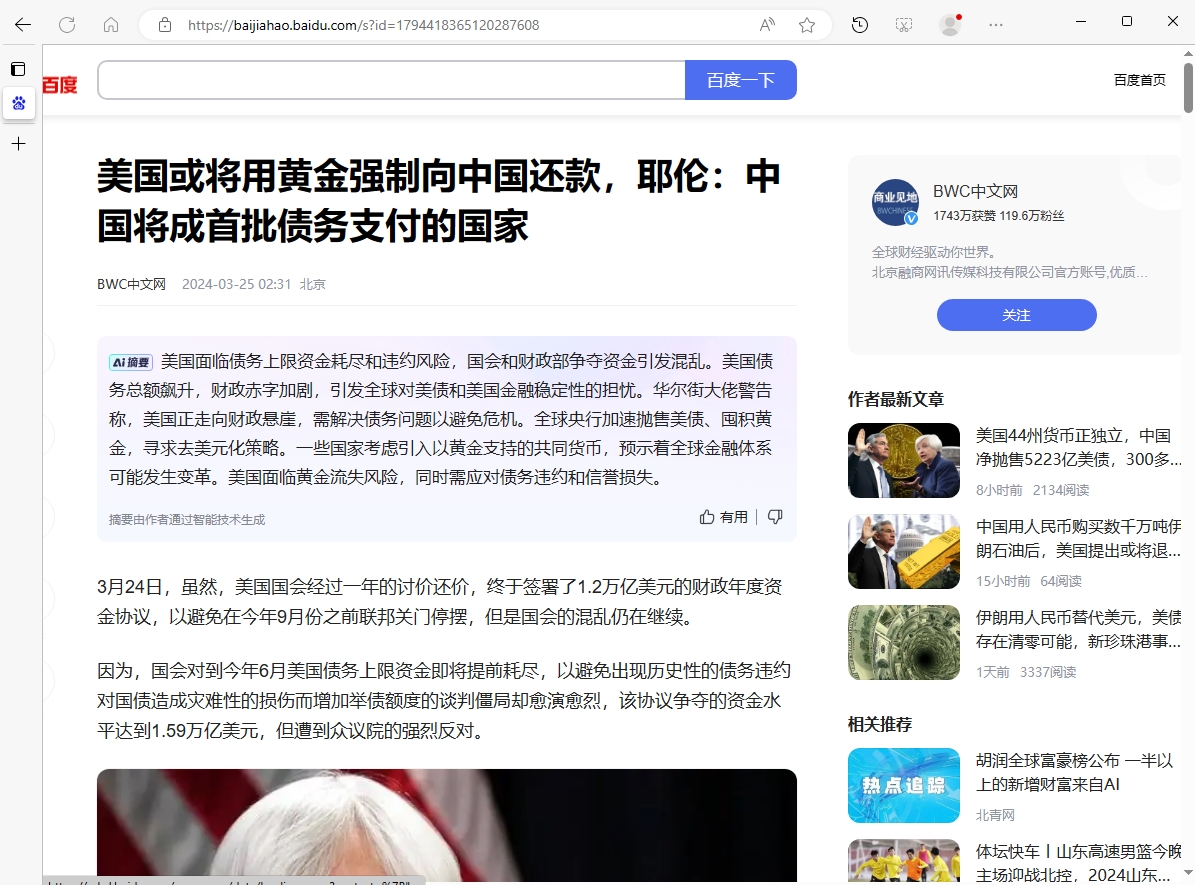 第3、4步 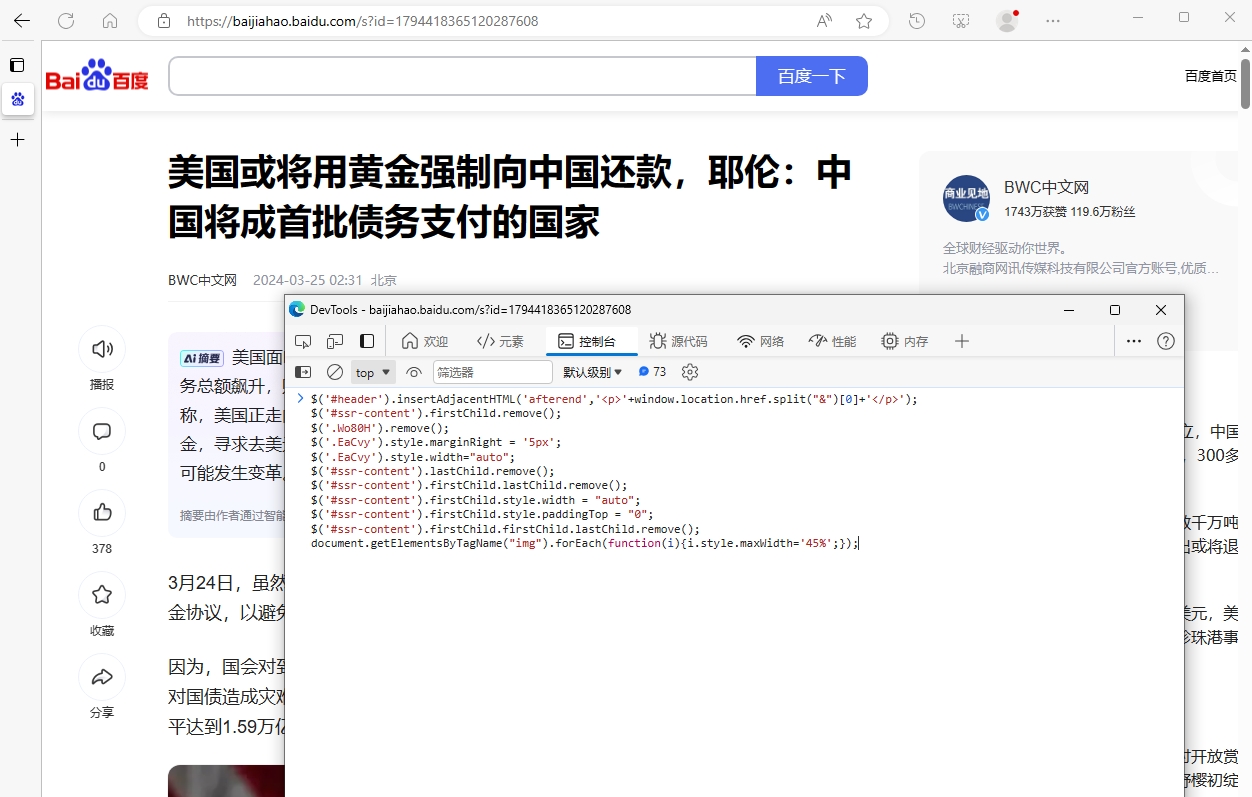 第5步 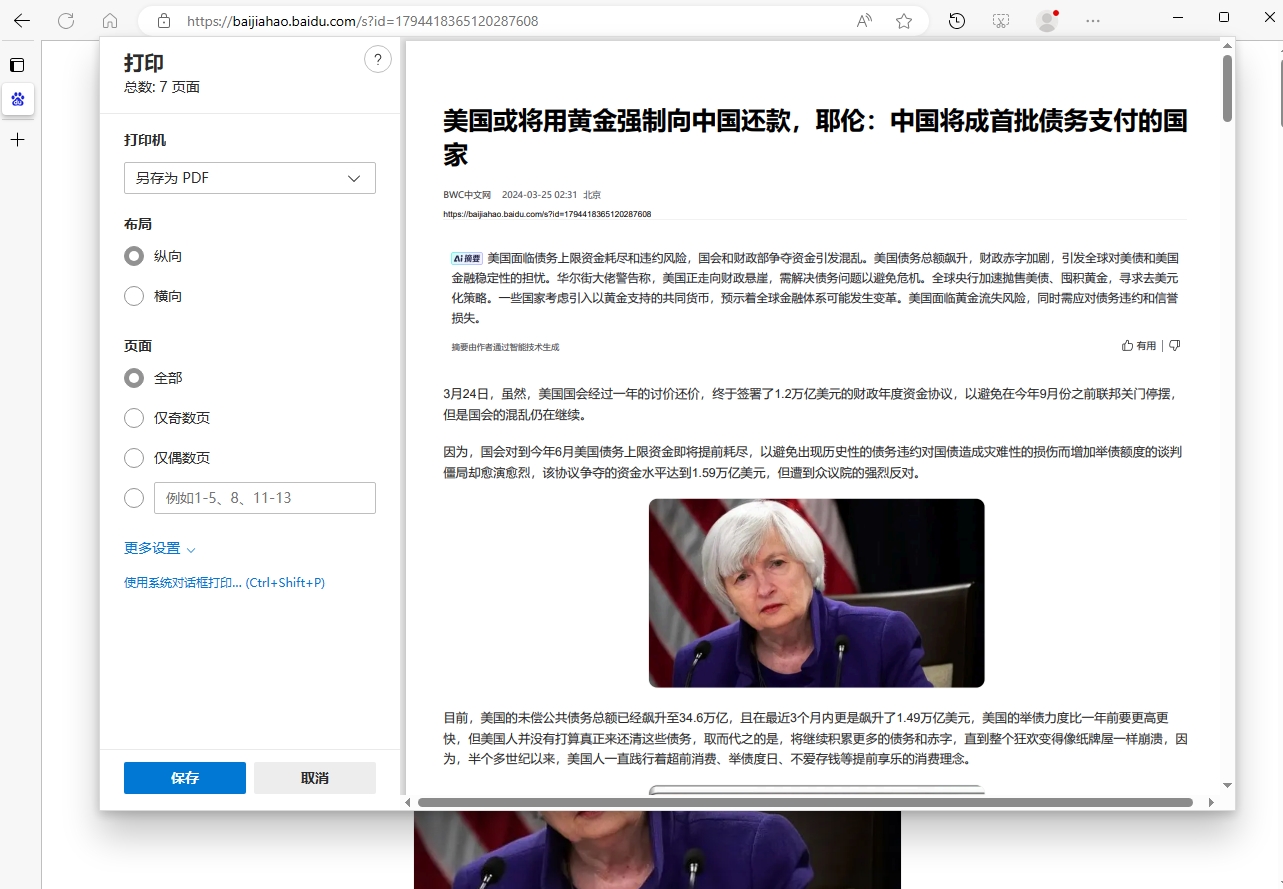 成功保存文章如下 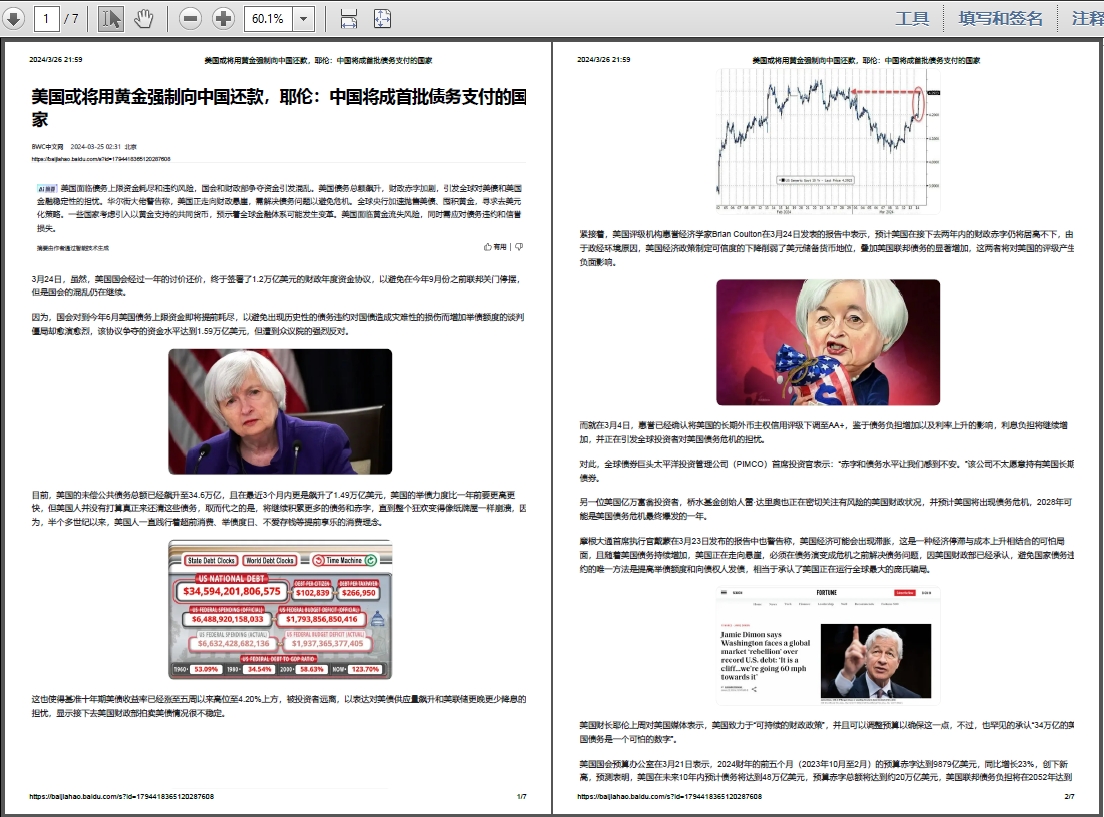
 skai
skai
skai
skai